











Geometry Dash
Play Geometry Dash directly in your browser. No downloads. No paywalls. Just you, the music, and the spikes. ARE YOU READY?
About Geometry Dash
Geometry Dash is a rhythm-based platformer game. You control a geometric icon hurtling through a neon maze. The rules are brutal but fair: Jump to the beat, or restart from zero.
There are no checkpoints in Normal Mode. No health bars. No second chances. In Geometry Dash PC, you are just jumping over obstacles, and what happens when you hit a block or spike? You die.

How to Play
Control guide
- On PC:
- Click your mouse/ Spacebar/ Up arrow key - Jump or Fly
- Press Z - Place a checkpoint
- Press X - Delete a checkpoint
- On Mobile: Just tap on your screen.
Secrets of Orbs and Pads in Geometry Dash
In Geometry Dash Lite, colors aren't just decoration. They are instructions. Here is your cheat sheet to memorize them instantly:
- Jump Orbs
- Yellow: A standard jump.
- Pink: A small hop. Used for tight spaces where a full jump would kill you.
- Red: A super jump. Launches you higher than anything else.
- Black: The heavy orb. It slams you straight down to the floor instantly.
- Gravity Manipulators
- Blue Orb: Flips gravity. You don't jump, you just fall... up.
- Green Orb: A hybrid. It flips gravity and performs a jump at the same time. This is the trickiest orb for beginners.
- Dash Orbs
- Green Dash: Hold to fly straight forward in standard gravity.
- Pink Dash: Hold to fly, but it flips your gravity at the end.
Why Should Play on https://geometry-dashpc.io
- 100% Unblocked: Our version runs on HTML5, and brings the full 'Lite' experience to your PC or Mobile without installation.
- Our game provides you with a full system of icons. As long as you play well enough, and have coins, you can unlock icons to replace the default your cube.
- Guaranteed page loading speed. This will make your experience while playing Geometry Dash uninterrupted.
Geometry Dash Icons
How to unlock
Unlocking new Geometry Dash icons is an attractive part of the game's progression and replayability. Most icons are unlocked by completing specific achievements within the game. In which many icons are awarded for beating the main levels created by RobTop Games.
Besides, you can collect hidden coins scattered throughout official levels often lead to exclusive unlocks.
Icons in the game
While the cube is the starting point, this game introduces a variety of other forms, each with unique gameplay mechanics:
- Ship: Fly through narrow corridors and avoid obstacles with controlled bursts of thrust.
- Ball: Defy gravity with flips and strategic bounces.
- UFO: Tap to float upwards and release to descend, navigating tight spaces.
- Wave: Move in a sinusoidal pattern, requiring precise timing to avoid collisions.
- Robot: Jump and double-jump to traverse platforms and obstacles.
- Spider: Instantly teleports between the ceiling and the floor.
- Swing Copter: Swing through the air by tapping, requiring careful momentum management.
Latest Trends - The 3D Revolution (2026)
The classic 2D view is legendary, but in 2026, the community is obsessed with a new perspective. Modders and creators have broken the flat barrier to bring you three must-try experiences:
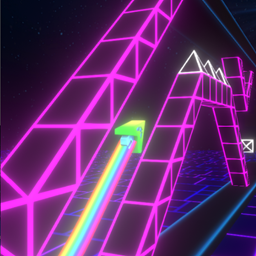
- Geometry Dash Lite 3D - Experience the classic levels like never before. The camera shifts behind the icon, forcing you to judge depth rather than just vertical height. It turns a familiar track into a terrifying new tunnel run.
- Geometry Dash SubZero 3D - SubZero was already famous for its camera zooms and particle effects. In 3D, these visual tricks become immersive. The Press Start level feels less like a platformer and more like a neon rollercoaster ride.
- Geometry Dash Breeze 3D - The newcomer on the block. Breeze 3D focuses on smooth transitions and flow rather than chaos. If you want a visually stunning experience that tests your spatial awareness without the difficulty, start here.
Geometry Dash FAQs
Why is the game so hard?
- Because it is designed to be. The difficulty forces you to memorize the level. Every attempt teaches you something new.
How do I unlock new colors and icons?
- You earn them by completing achievements. Beating levels, collecting secret coins, and jumping a certain number of times will unlock new skins for your character.
What is the difference between Normal and Practice Mode?
- In Normal Mode, you restart from the beginning when you die. In Practice Mode, you can place checkpoints. Use Practice Mode to learn the layout before trying the real run.